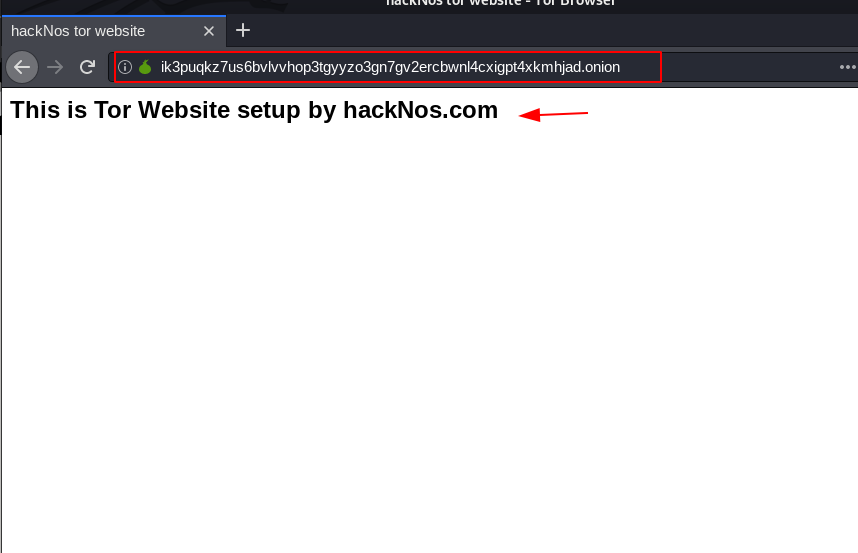
How to Password Protect Our Apache Server Directory using Ubuntu Server
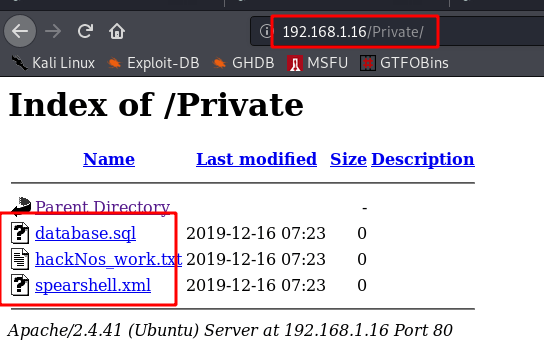
Now you can see my apache server directory this time my Private Directory is not secure anyone easy access my private directory I am Password protect the private directory
we see my private directory many files and anyone see the file today topic I am secure our the directory with password authentication
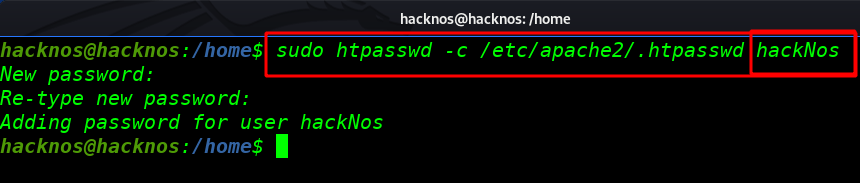
Connect your Ubuntu Linux server through ssh service and add a user for Authentication Private Directory with password Protect
sudo htpasswd -c /etc/apache2/.htpasswd (your username here)( -c ) where your-user-name is the login name of the user you want to give access
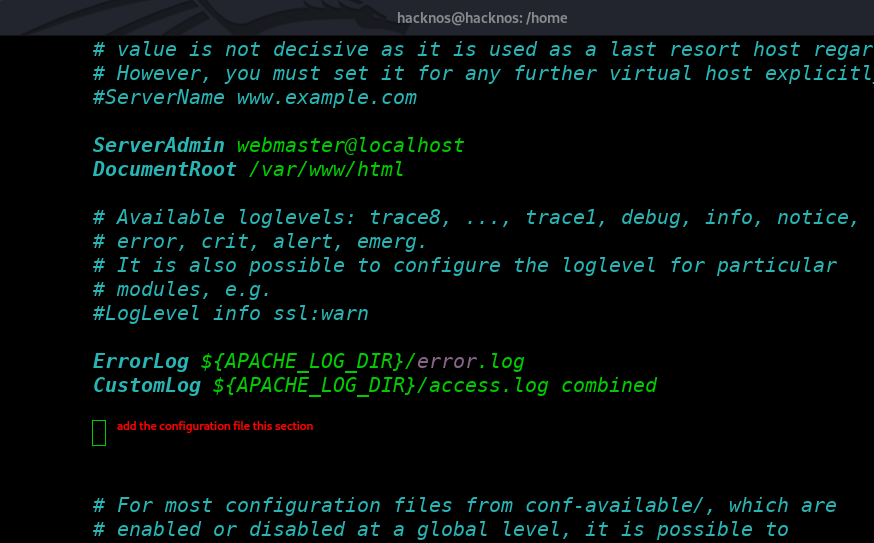
After creating our new user now some edit our apache configuration file you can use any editor I use VI Editor
sudo vi /etc/apache2/sites-enabled/000-defautl.conf
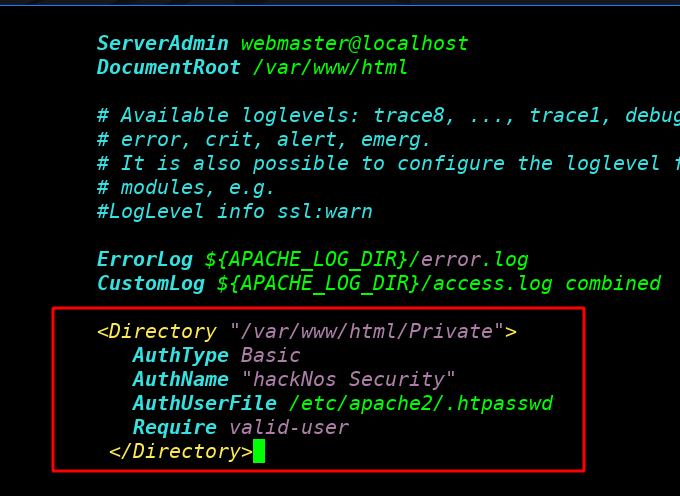
You can see my apache configuration file this add a sum line for Protect our directory you see next image
1. AuthType: is Basic for simple login
2. AuthName: This name will be displayed when the browser prompts for a password
3. AuthUserFile: You will later create a file containing passwords named .htpasswd. The
“AuthUserFile” line tells the Apache web server where it can locate this
password file.
4.Require valid-user: The line “require valid-user” means that any user specified in
your .htpasswd (ie, password) file will be able to access that
directory.
<Directory "your Directory location here">

      AuthType Basic
      AuthName "your Comment here"
      AuthUserFile  <your password location >
      Require valid-user

</Directory>
After adding some line, your apche2 configuration file looks like this
go to your private file directory and create a .haccess file for authenticating your username and password
cd /var/www/html/Private/sudo touch .htaccess
Add some lines for authenticating your apache server directory
sudo vi .htaccessAuthType Basic
AuthName "your comment here"
AuthUserFile <your passwd file location>
Require Valid-user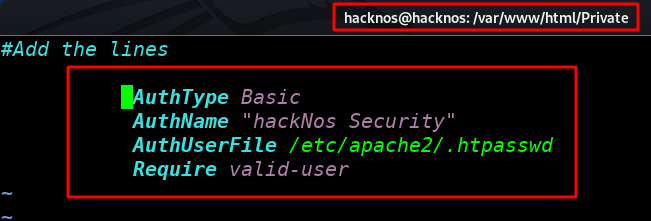
And restart your apache2 server
sudo service apache2 restart
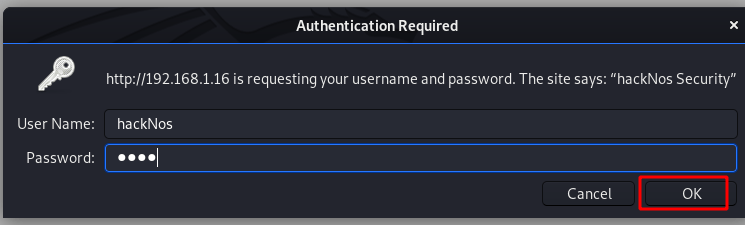
I access our Private Directory and server ask me a username and password
http://192.168.1.16/PrivateI am login our username and password you log in your username and password
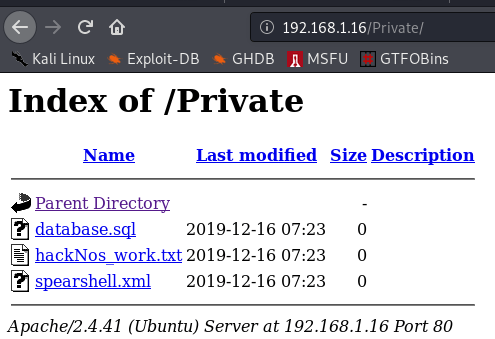
And you can see my Private Directory files
Free WordPress hosting see here