How to install own VPN Server setup on AWS EC2-Machine using OpenVPN
How to set up Kali Linux AWS see here
A VPN server is a physical or virtual server that is configured to host and deliver VPN services to users worldwide. The server is a combination of VPN hardware and VPN software that allows VPN clients to connect to a secure private network.
Open your EC2 Machine Dashboard and copy your Public IPv4 and connect your machine ssh connection

EC2-Machine connect through the ssh server
ssh -i <your key name> ec2-user@<your ip address>sudo (Super User DO) command in Linux is generally used as a prefix of some command that only superusers are allowed to run. If you prefix “sudo” with any command, it will run that command with elevated privileges or in other words allow a user with proper permissions to execute a command as another user, such as the superuser. This is the equivalent of a “run as administrator” option in Windows. The option of Sudo lets us have multiple administrators own VPN Server setup
sudo su
Download OpenVPN server setup file in your AWS ec2-machine
wget https://raw.githubusercontent.com/Nyr/openvpn-install/master/openvpn-install.shls
After download VPN setup we add a permission OpenVPN executable
chmod +x openvpn-install.shNow run Over setup file
./openvpn-install.sh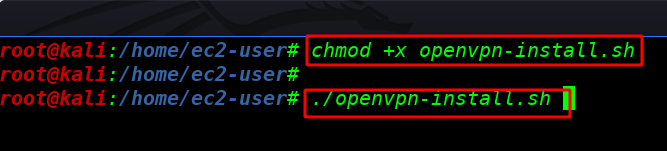
Write you Public IPv4 Address which protocol use your VPN server First option is UDP and the second option is TCP I choose UDP (recommended)
1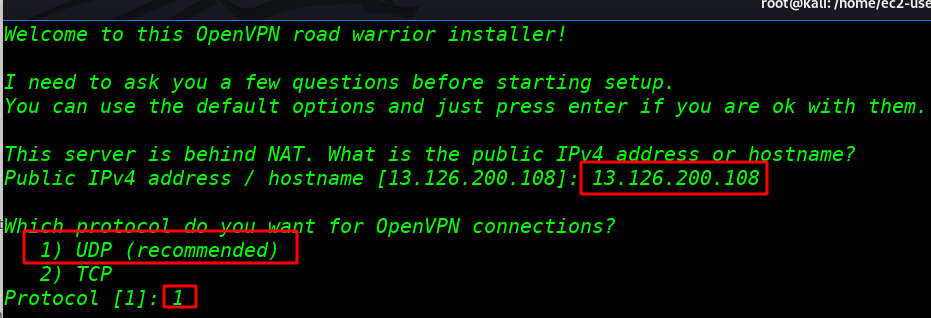
Which port do you want to run the service? the default port is 1194
1194Which DNS do you want to use your VPN server I am user Current System resolvers you use any DNS server
1Write your VPN output filename
<your vpn file name>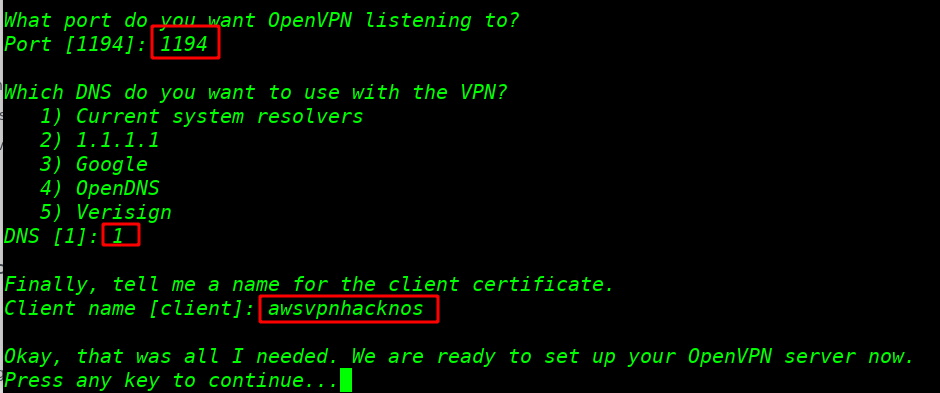

We see over VPN Setup is Finished and our next step is to download the VPN file our local system
cd /rootI am starting python server on AWS machine port 99
python -m SimpleHTTPServer 99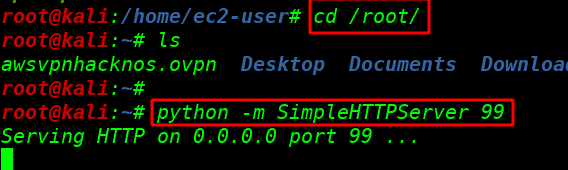
Download our VPN file local system with wget command Linux tool
wget http://<your ip address>:99/<your vpn name>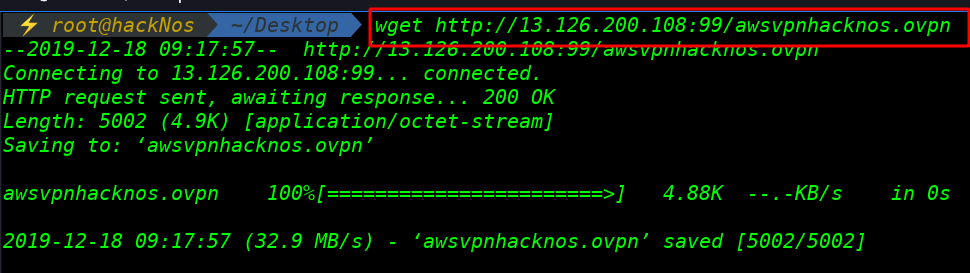
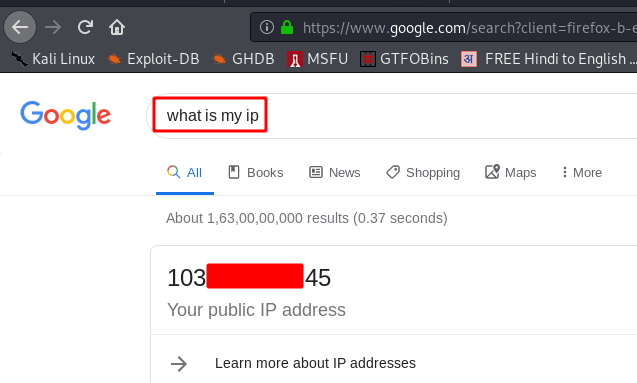
Without VPN I check our Public IP address
Start over VPN Server this command
openvpn awsvpnhacknos.ovpn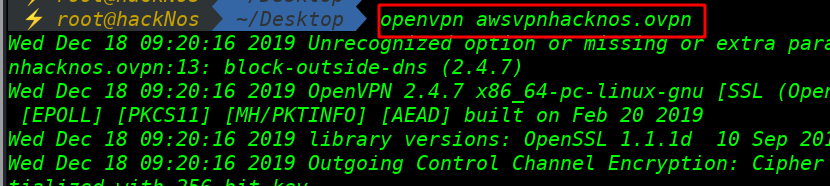
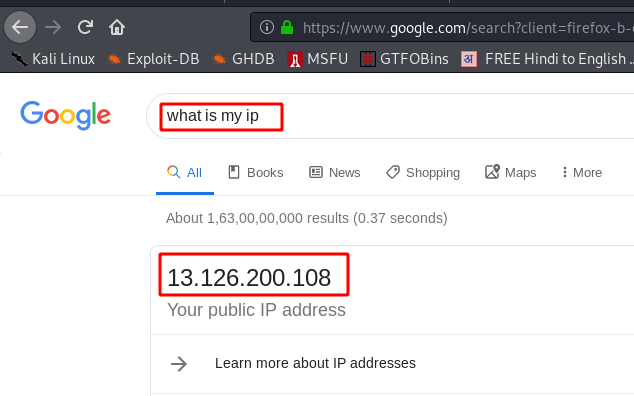
And we see my IP address is change to my AWS machine IP
kali Setup here